
The Client Win-Back & Referral System
Bring past clients back and ask for referrals at the right moment.
Setup time
1 to 3 hours
Faster if experienced, longer if new to the tools
Monthly cost
Free to $32/mo
Software only, plus any card fees
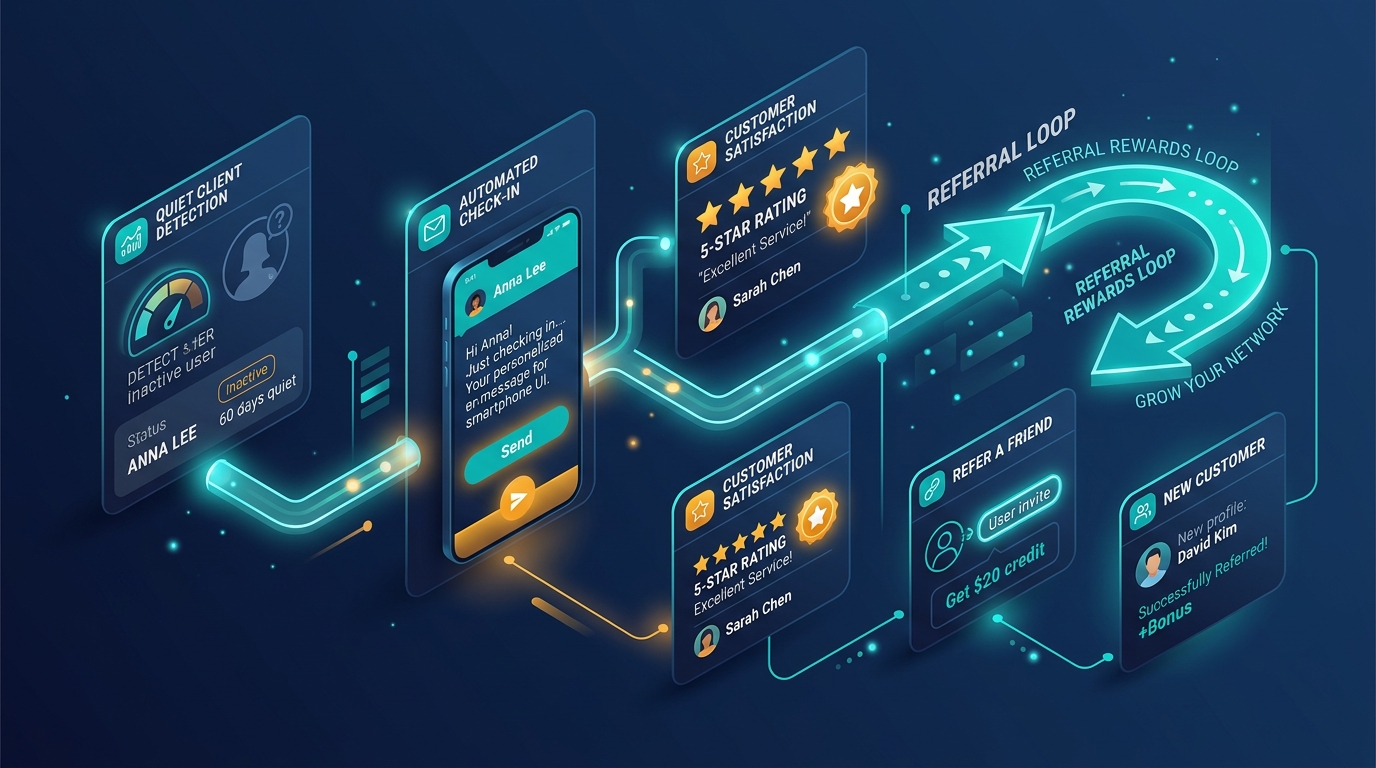
Client Retention & Winback Engine
Automated inactivity detection, gentle re-engagement prompts, and 5-star review loops
System Summary
The Problem
You are letting every client go quiet the moment the invoice is paid. No one emails them again, no one asks how the work is going, and no one ever asks for a review or a referral. A client who already trusts you is the easiest sale you will ever get, and you are leaving that sale on the table every single time.
The System
This system runs three emails on autopilot after a project ends. A review request goes out first, while the work is still fresh and the client is happiest. A win-back message goes out automatically if the client goes quiet for ninety days. A referral ask goes out only after a client responds positively to the win-back message, so you are never asking a cold contact for a favor.
Before You Start
- → A list of past clients with the date each project ended
- → A free Brevo account
Choose your version
Same system, different tools and budgets. Pick the one that fits your team, and the tools, steps and costs below change with it.
Free version: why this one
The right choice if you already have a real client list and want the entire retention loop running today without spending a cent.
Win back gone-quiet clients, ask for reviews, and get referrals, all for $0 a month.
Tools in this system
The exact tools this build runs on. Each one links to its full review, and where we are an affiliate the link supports our free guides.
How the system works
How the tools connect and hand off to each other, step by step. Follow them in order, and each one links to the tool that does the work.
Project marked complete
You add the client's contact to Brevo and tag them with today's date the moment a project wraps up.
🔧 brevoReview request sends
Brevo automatically sends a short review request email the same day, while the work is still fresh in the client's mind.
🔧 brevo90-day silence check
If the client has not opened or replied to anything in 90 days, Brevo's automation triggers the win-back email on its own.
🔧 brevoReferral ask on response
If the client replies or clicks a link in the win-back email, Brevo automatically sends the referral ask 3 days later.
🔧 brevoBefore vs After
❌ Before
✅ After
Finished projects
You move on to the next client and never follow up again
A review request goes out automatically while the work is still fresh
Gone-quiet clients
You notice months later that a client just stopped booking, if you notice at all
A win-back email goes out on its own after 90 days of silence
Referrals
You only get referrals when a client thinks to offer one
A referral ask goes out automatically to clients who just responded positively
Reviews
You remember to ask for a review maybe one time in ten
Every finished project gets a review request, every time, without you remembering
The catch: be aware
This only works if your past clients already live somewhere in one place, a spreadsheet or a free CRM tab, because the free plan has no way to detect who is even a past client on its own. Building that list by hand is the one manual step nothing here automates.
Cost breakdown
Total monthly
Free
Every tool this system runs on and what it actually costs, added up to one real monthly total.
Tool / Service
Plan
Cost
Brevo
300 emails/day, unlimited contacts, includes automation
Free
$0/mo
TOTAL
No card required
All plans combined
$0/mo
Total
Free
Budget version: why this one
The right choice once your client list has outgrown the free plan's send limit, or you want the win-back message to actually get read.
Same win-back and referral loop, now with SMS for the message that matters most.
Tools in this system
The exact tools this build runs on. Each one links to its full review, and where we are an affiliate the link supports our free guides.
How the system works
How the tools connect and hand off to each other, step by step. Follow them in order, and each one links to the tool that does the work.
Project marked complete
You add the client's contact to Brevo and tag them with today's date the moment a project wraps up.
🔧 brevoReview request sends
Brevo automatically sends a short review request email the same day, while the work is still fresh.
🔧 brevo90-day silence check triggers a text
If the client has not opened or replied to anything in 90 days, Brevo sends the win-back message as an SMS instead of an email.
🔧 brevoReferral ask on response
If the client replies to the text or clicks a link, Brevo automatically emails the referral ask 3 days later.
🔧 brevoBefore vs After
❌ Before
✅ After
Win-back message
Sits unread in a crowded inbox like every other marketing email
Arrives as a text a gone-quiet client actually reads within minutes
Send limits
Free plan caps you at 300 emails a day once your list grows
Starter plan removes the daily cap entirely
Reviews
You remember to ask for a review maybe one time in ten
Every finished project gets a review request automatically
Referrals
You only get referrals when a client thinks to offer one
A referral ask goes out automatically to clients who just responded
The catch: be aware
SMS costs extra on top of the $9 a month Starter plan, usually a few cents per text, so budget a small top-up if your list is large.
Cost breakdown
Total monthly
$12/mo
Every tool this system runs on and what it actually costs, added up to one real monthly total.
Tool / Service
Plan
Cost
Brevo Starter
Up to 5,000 emails/day, no Brevo logo
Starter
$9/mo
SMS credits
Billed per text, scales with list size
Pay as you go
~$5-10/mo typical
TOTAL
SMS cost varies with volume
All plans combined
$9-15/mo
Total
$12/mo
Growth version: why this one
The right choice if you already run your pipeline in Zoho Bigin, or want every past client's status visible in the same place you track new deals.
The Zoho partner stack that tracks every past client in your CRM and reactivates them automatically.
Tools in this system
The exact tools this build runs on. Each one links to its full review, and where we are an affiliate the link supports our free guides.
How the system works
How the tools connect and hand off to each other, step by step. Follow them in order, and each one links to the tool that does the work.
Deal closes, client tagged
You move the contact to the 'Past Client' stage in Bigin and set the Project Closed Date field.
🔧 zoho-biginReview request sends
Zoho Flow triggers a review request email the same day the deal closes.
🔧 zoho-flow90-day silence flags automatically
Bigin's workflow rule flags any Past Client with no new activity 90 days after the closed date.
🔧 zoho-biginWin-back and referral sequence sends
Zoho Flow sends the win-back email, then the referral ask if the client responds.
🔧 zoho-flowBefore vs After
❌ Before
✅ After
Past client tracking
Lives in a spreadsheet nobody updates once the deal is won
Lives in the same CRM you already use for active deals
Spotting a gone-quiet client
Depends on someone noticing by chance
Bigin's workflow rule flags it automatically at 90 days
Review requests
Depends on someone remembering to ask
Fires automatically the day a deal closes
Referrals
Only happens if a client thinks to offer one
Asked automatically once a client responds to the win-back message
The catch: be aware
Zoho Bigin's automation on the free plan is limited to 3 workflows, so a full 3-step win-back and referral sequence needs the paid Express plan to run reliably.
Cost breakdown
Total monthly
$32/mo
Every tool this system runs on and what it actually costs, added up to one real monthly total.
Tool / Service
Plan
Cost
Zoho Bigin Express
1 user, billed yearly ($9 monthly)
Express
$7/mo
Zoho Flow Standard
5,000 tasks a month, billed yearly ($29 monthly); priced by tasks, not per user
Standard
$25/mo
TOTAL
For 1 user, billed yearly
All plans combined
$32/mo
Total
$32/mo
Scale version: why this one
The right choice for a small team where more than one person touches client relationships and you want real reporting on what is working.
Full CRM depth and real reporting for a growing team with more past clients than a spreadsheet can handle.
Tools in this system
The exact tools this build runs on. Each one links to its full review, and where we are an affiliate the link supports our free guides.
How the system works
How the tools connect and hand off to each other, step by step. Follow them in order, and each one links to the tool that does the work.
Deal closes, client tracked
The client's deal moves to Closed Won in HubSpot and the Last Project Closed Date field is set.
🔧 hubspotReview request sends
A HubSpot workflow sends the review request email the same day the deal closes.
🔧 hubspot90-day rule flags the client
HubSpot's if-then automation checks for 90 days of no activity and flags the client automatically.
🔧 hubspotWin-back and referral sequence sends
The workflow sends the win-back email, then the referral ask if the client responds, and logs both in the client's record.
🔧 hubspotBefore vs After
❌ Before
✅ After
Team visibility
Only one person knows which past clients have been contacted
Every team member sees the same client record and history
Measuring results
No real way to know how many past clients actually came back
HubSpot's workflow report shows contacted vs responded vs reactivated
Review requests
Depends on someone remembering to ask
Fires automatically the day a deal closes
Referrals
Only happens if a client thinks to offer one
Asked automatically once a client responds to the win-back message
The catch: be aware
HubSpot's deepest automation, multi-step workflows and full attribution reporting, only becomes available at Marketing Hub Professional for $800 a month, a steep jump most small teams do not need. The Starter plan used here gives simple if-then automation, which is genuinely enough for a 3-step win-back sequence but nothing more complex.
Cost breakdown
Total monthly
$18/mo
Every tool this system runs on and what it actually costs, added up to one real monthly total.
Tool / Service
Plan
Cost
HubSpot Starter
Billed annually; $20/mo if billed monthly
Starter
$18/mo
TOTAL
For 1,000 marketing contacts
All plans combined
$18/mo
Total
$18/mo
Implementation Support
Need help getting this system running?
This system is built to be set up without a consultant, and every step is on this page. If you want a hand, we can help you put it in place and walk your team through it.
Get this system as a PDF
A portable one-pager version of everything on this page: the tools, the steps, the costs. Downloads immediately, no waiting on an email.
Our guarantee
The entire setup costs $0 and takes about two hours, so the only real risk is the time spent, which you get back the first time a single client rebooks.
Common Mistakes
Sending the win-back email to a client who never actually went quiet
Trigger it off a real 90-day no-activity check, not a fixed date after the project ended.
Asking for a referral in the same email as the win-back message
Wait for a positive response first, then ask for the referral 3 days later, so it never reads as demanding.
Frequently asked questions
References
- Brevo (official site) . Brevo
- Retainful: win-back automation category . Retainful
- How to Win Back Old Clients: 7 Templates That Work (2026) . GoReminders
Add us to your preferred sources to see our latest business systems, tool reviews, and RevOps guides first in your Google feed.
Build once. Run repeatedly.
The system is here. Put it to work.
Every step is published and the tools are free to try. Build it yourself, or get implementation support if you want a hand.